Example claimant: Claire is not a real person and every detail is made up. The answers are from a real run of the PIP2 form filler (28 September 2026), shown on the page as it looks today (checked against the live site on 19 November 2026). The law quoted below was checked on legislation.gov.uk and GOV.UK on the same day.
- Price
- £99.99, one-off. No subscription.
- What you do
- Answer a short form about your health. Mostly tapping, a few lines of typing if you want to.
- What you get
- Section 1 laid out, a box for Section 2, a first-person answer for all 12 activities (Q3 to Q14), a suggested Q15 paragraph and a private note on each activity.
- Where it arrives
- On screen, as a PDF you save from the page and as an email copy to the address you give.
- Who it is for
- Anyone with the PIP2 "How your disability affects you" form for a new claim. If your form is the review form, there is a separate AR1 filler.
- What it is not
- Not a decision, not a promise of an award and not sent to the DWP. You check every line, copy it onto your own form and send it yourself.
Prefer to watch? There is a four minute film of the same run for the same made-up claimant on our homepage. It was recorded on 28 September 2026, so one or two labels on screen have been reworded since. The pictures on this page show the wording as it is today.
 ▶ Watch the demo on the homepage
Step 1: tell us about yourself
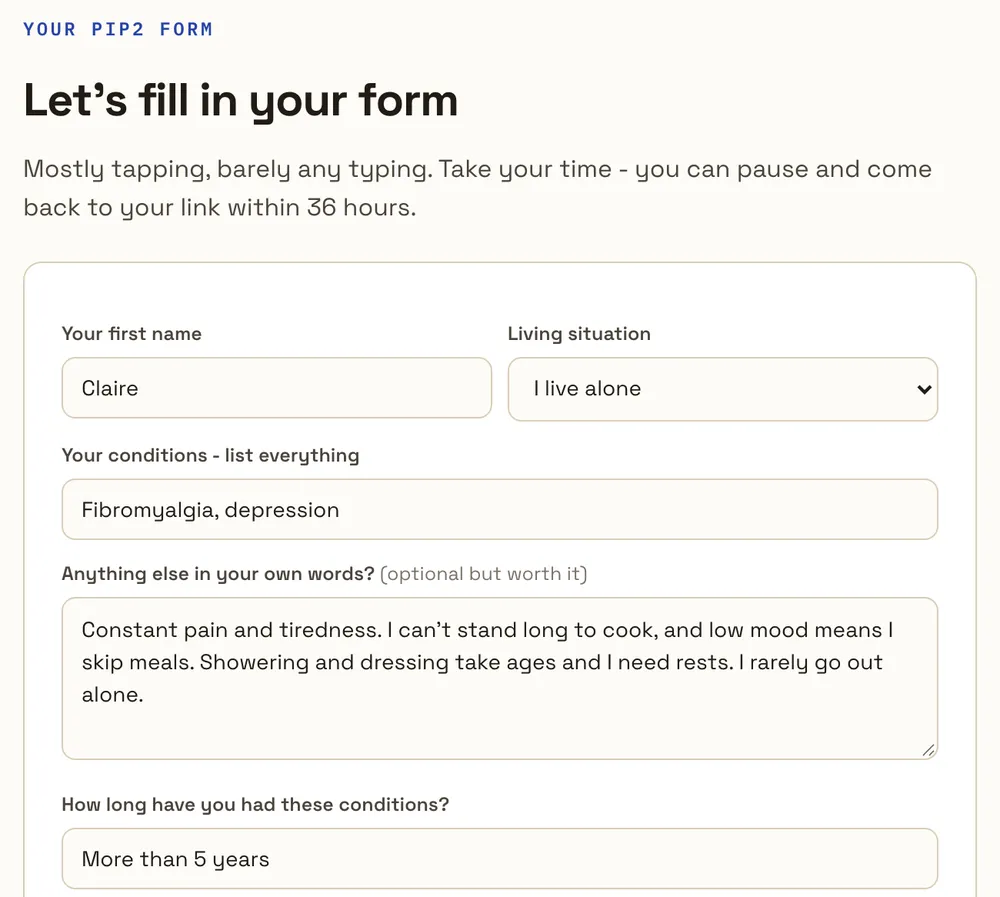
After you pay, you come straight back to the site (the same link is in your order confirmation email) and land on a short form headed "Let's fill in your form". The link works for one form and stays open for 36 hours, so you can stop and come back. Claire typed her first name, kept "I live alone", listed fibromyalgia and depression and added four short sentences in her own words. That box is optional, but it is where the most useful detail comes from: what your worst days are like, what you cannot do safely and where you have to stop partway through.
Step 2: tick what is hardest
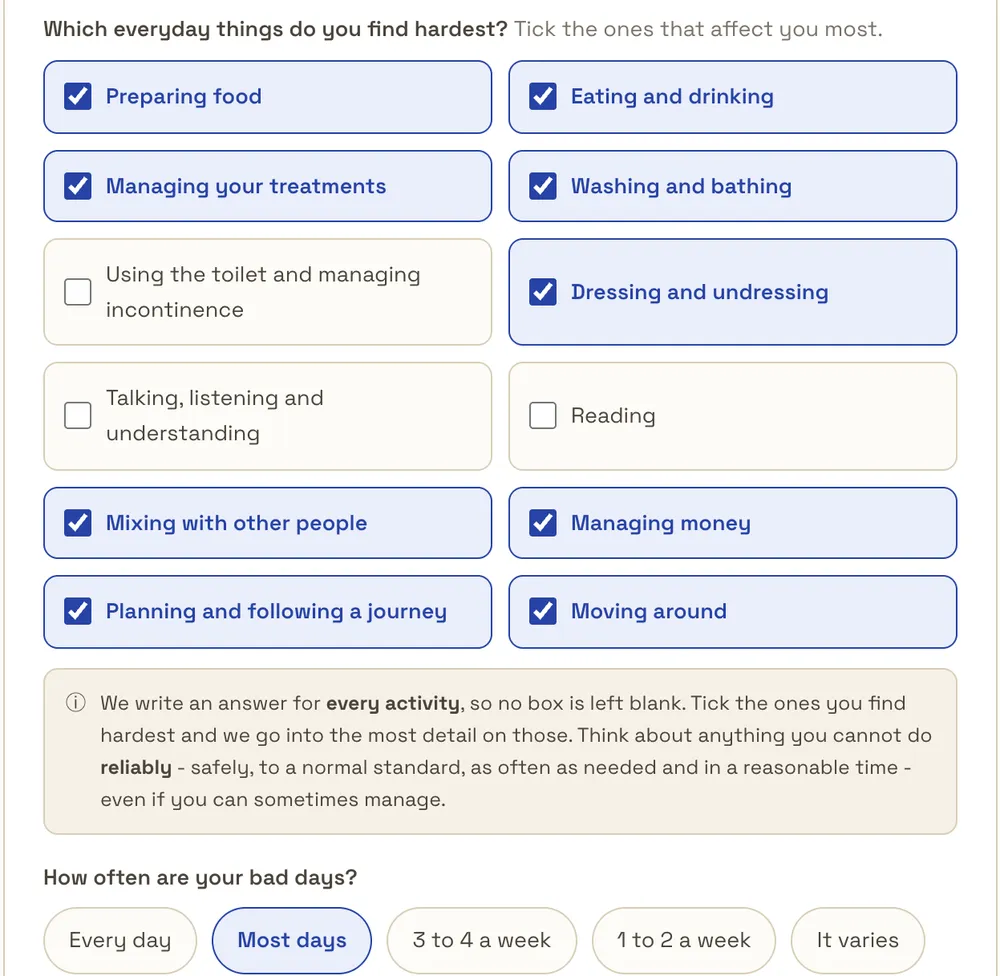
All 12 PIP2 activities are listed and all are ticked to start with. You untick the ones that affect you least. Claire unticked using the toilet, talking and reading. Nothing is skipped either way: every activity still gets a full answer, and the ticked ones get the most detail. Then you pick how often your bad days come. Claire chose "Most days".
The note under the list is there because of how PIP is scored. A descriptor only counts if you can do the activity safely, to an acceptable standard, repeatedly and within a reasonable time period, which the law defines as no more than twice as long as it would normally take (regulation 4 of the PIP Regulations 2013). A descriptor applies if it fits on more than half of the days (regulation 7).
Step 3: aids, medication and consent
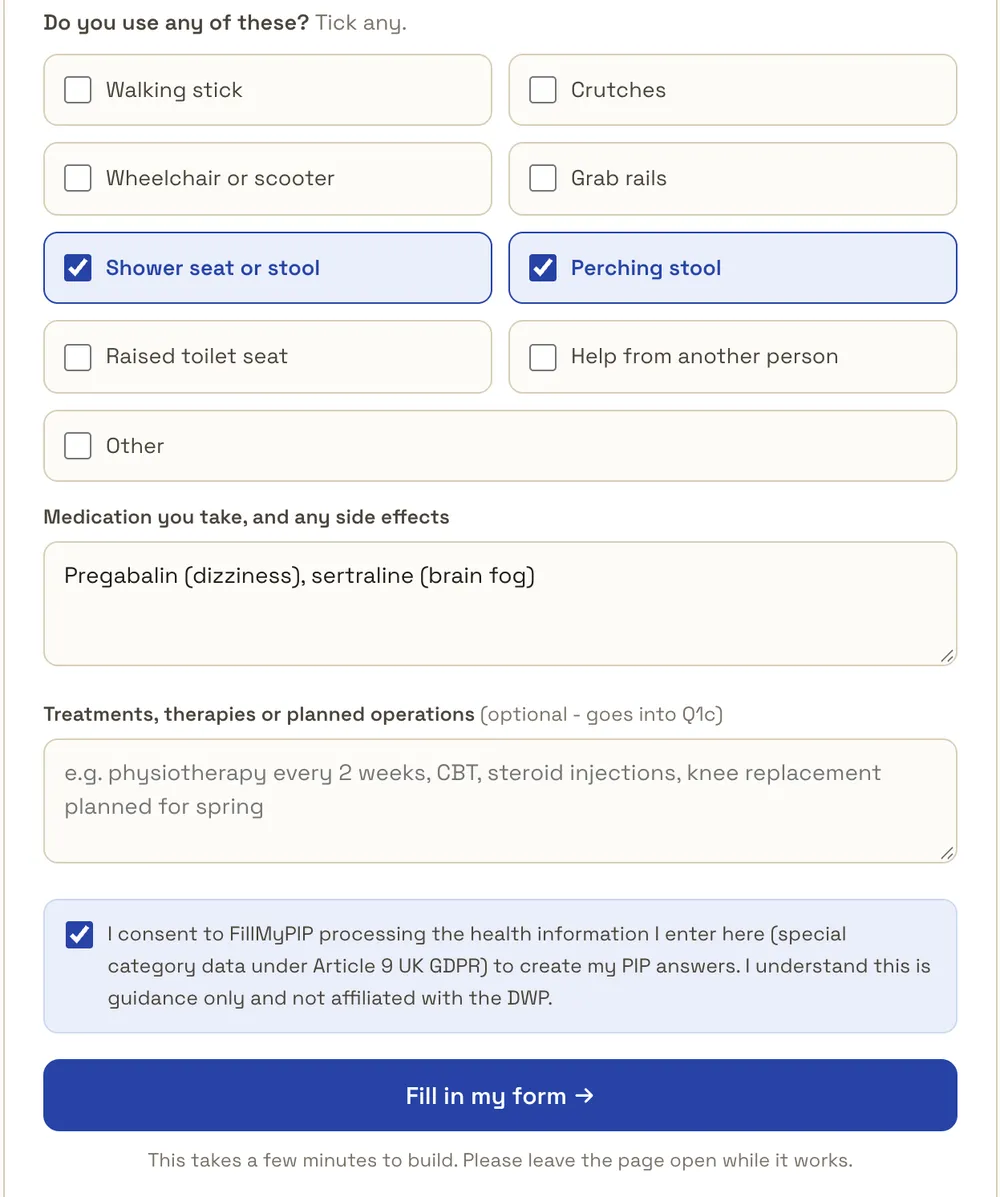
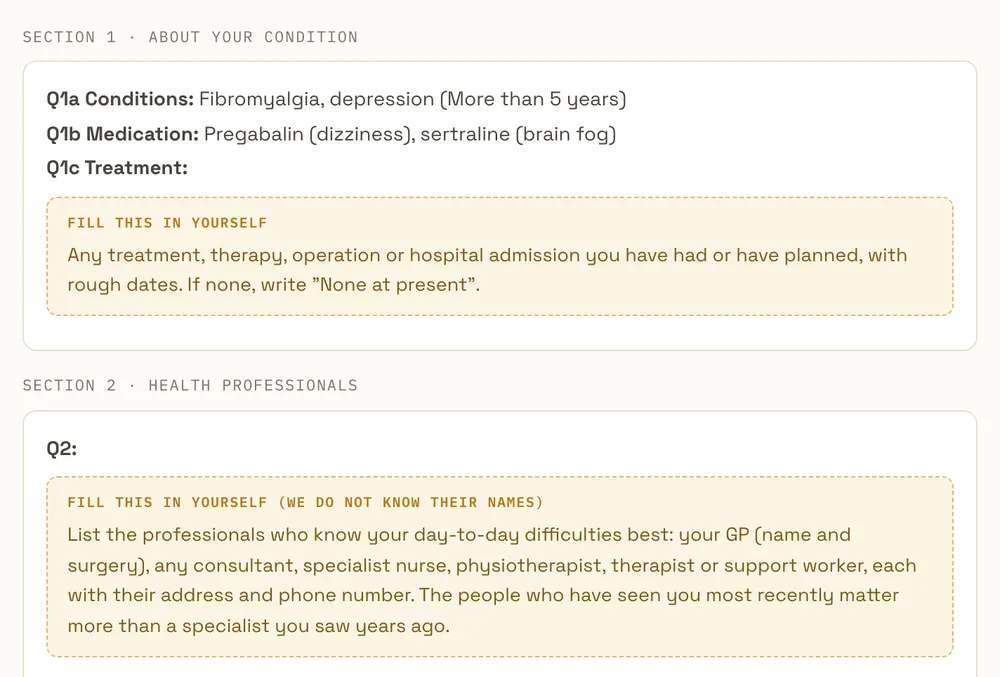
Next come the aids you use (Claire uses a shower seat and a perching stool), your medication with any side effects and, if you have any, treatments or planned operations. Claire left treatments empty on purpose, so you can see what happens to an empty box later. Last is a consent tick, because health details are special category data under Article 9 of the UK GDPR, and the button "Fill in my form".
Step 4: the wait
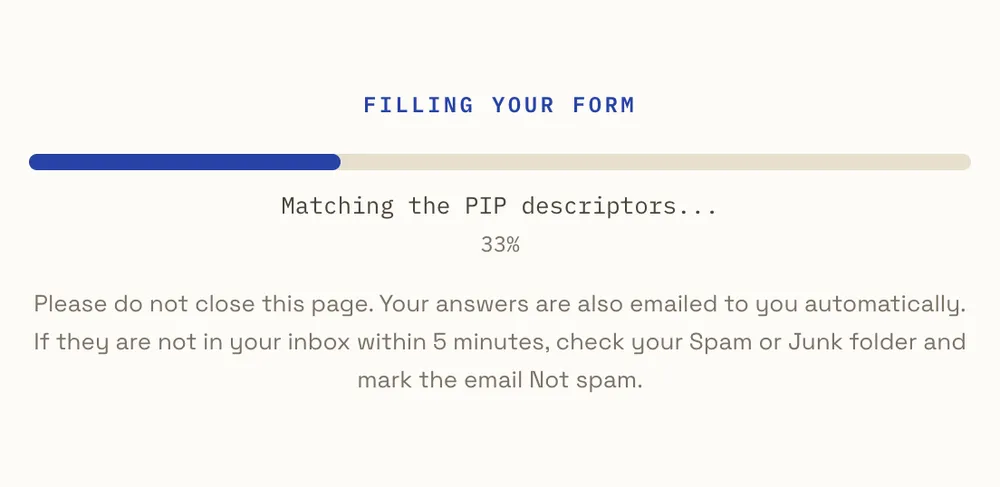
Our system writes the 12 activities four at a time while a progress bar runs. The page says it takes a few minutes; Claire's run on 28 September took 48 seconds. Keep the page open until it finishes.
Step 5: Sections 1 and 2
The finished page follows the order of the PIP2. Q1a shows your conditions and how long you have had them. Q1b shows your medication exactly as you typed it. Because Claire left treatments empty, Q1c is an amber "Fill this in yourself" box that tells her what belongs there. Q2 is always a box for you to fill in: we do not know the names of your GP, consultant or nurse, so the box lists who to add and what details to include.
Step 6: one answer for every activity
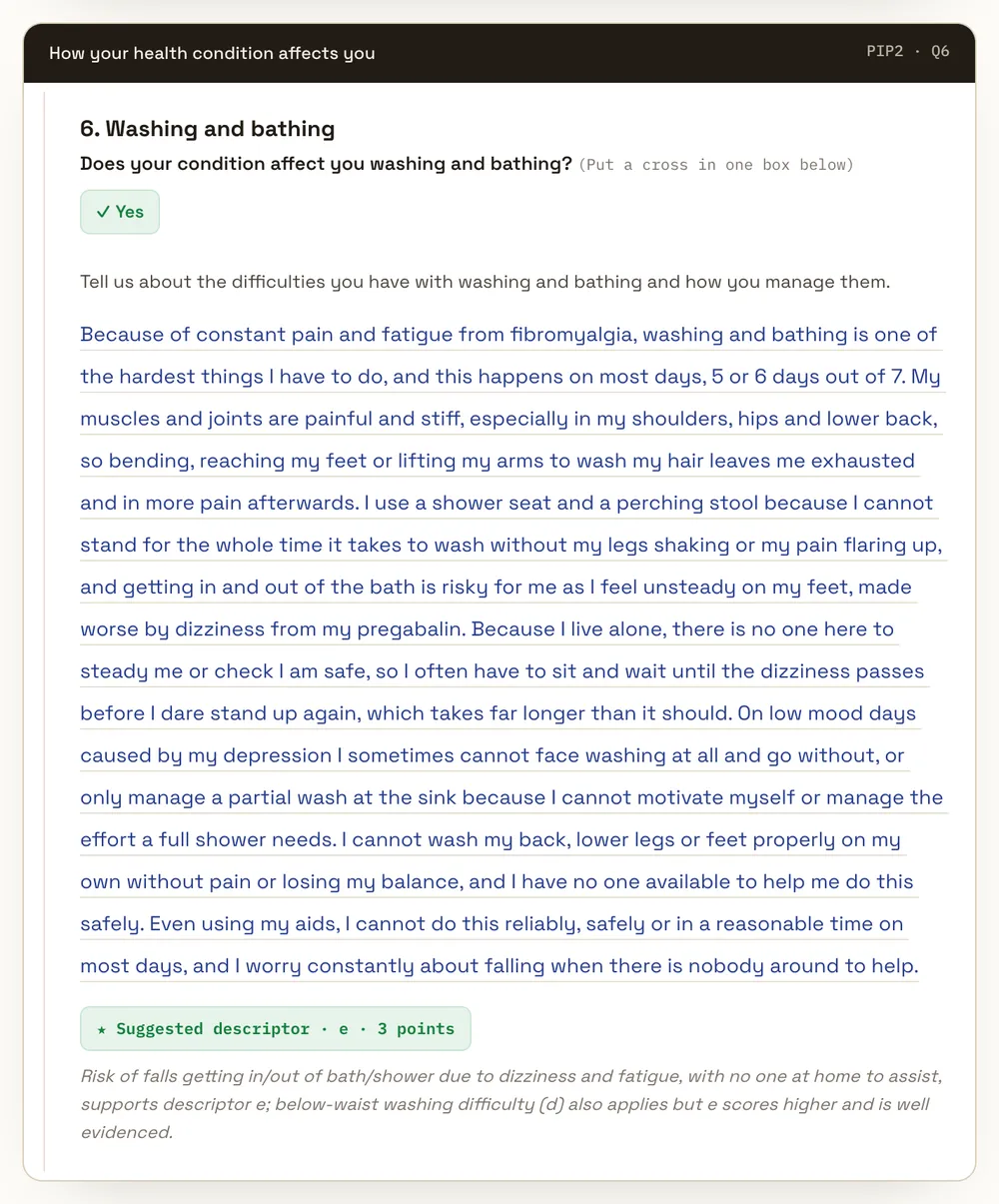
Each of the 12 activities is laid out like the form itself: the question, the "Yes" box, the form's own prompt and then a first-person answer to copy across. The answers run to roughly 150 to 320 words each (Claire's were 247 to 292). They follow what the form asks: how often, why, what aids or help you use and the help you need but do not get, ending with whether you can do it reliably.
Under each answer is a green "Suggested descriptor" with its points and a one-line reason. That is for your eyes only, so you understand what your answer describes. You do not copy it onto the form. For Claire's washing and bathing the suggestion is descriptor e, 3 points, which in Schedule 1 is needing assistance to get in or out of a bath or shower.
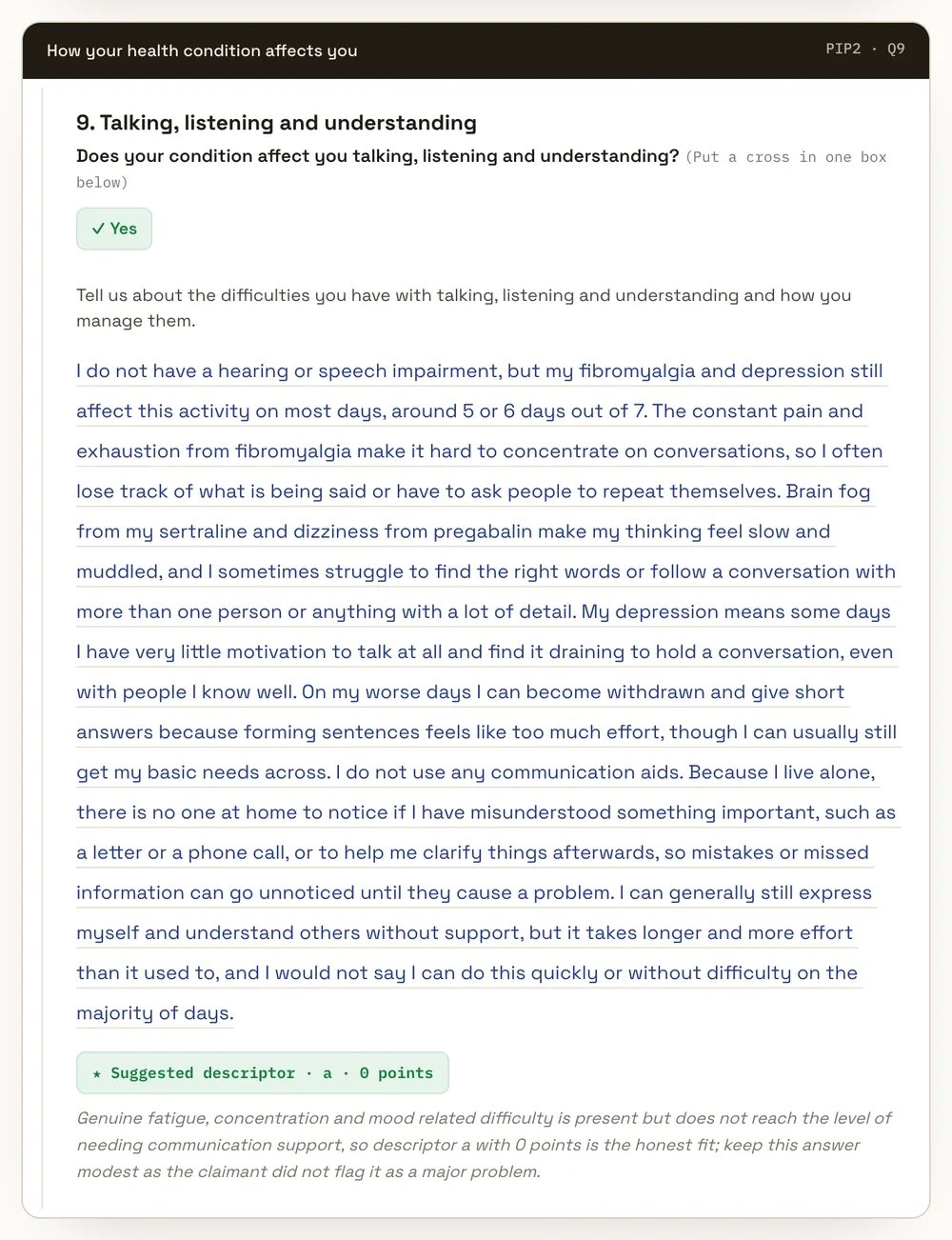
The suggestions are not inflated to look good. Claire did not tick talking, listening and understanding, so her Q9 answer still describes the real difficulty (concentration, brain fog) but the suggestion is descriptor a, 0 points, with a note to keep the answer modest. We think that honesty matters more than a bigger number.
Step 7: Q14 and the walking distance box
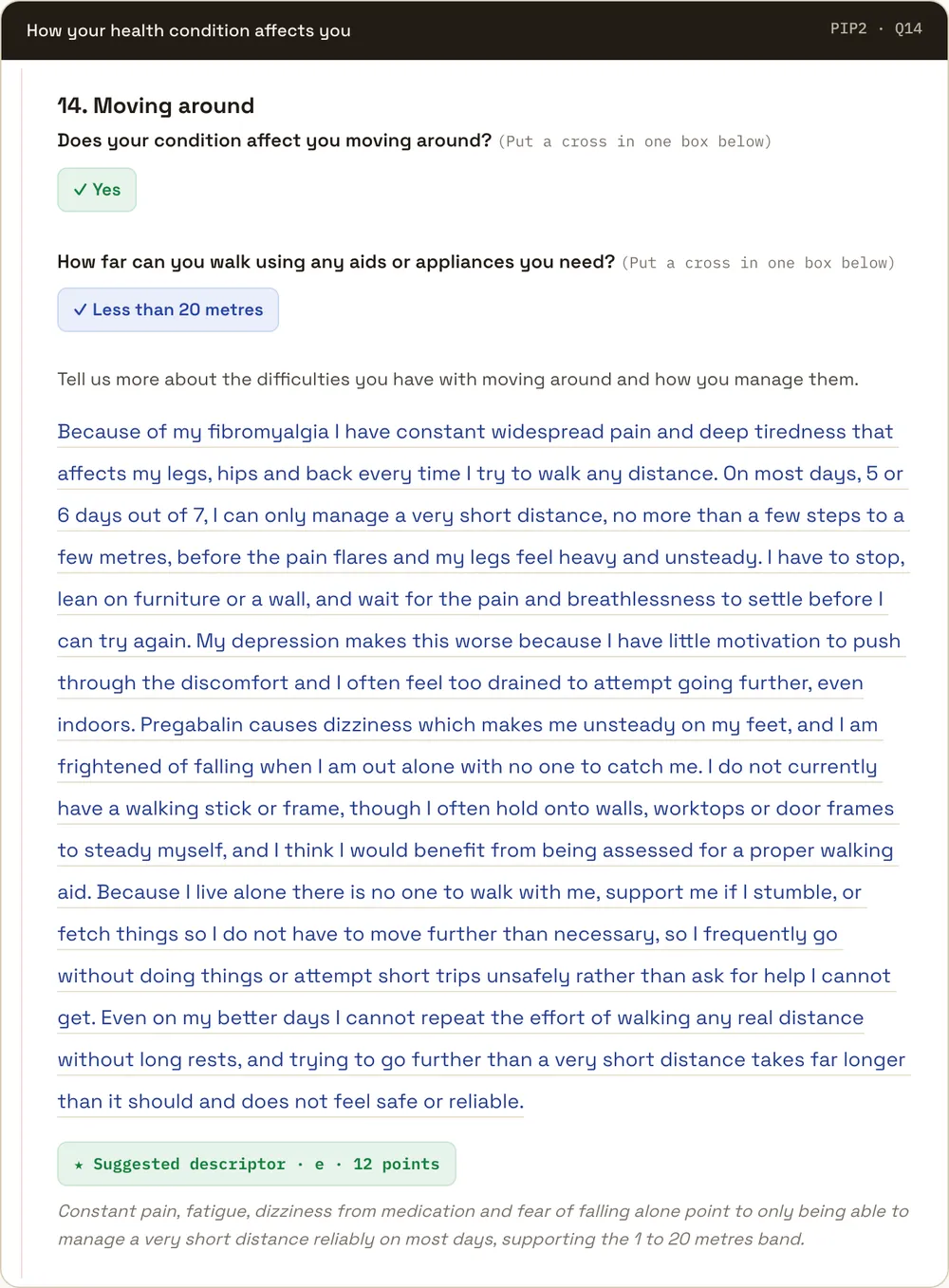
Moving around has a second question on the real form: how far you can walk using any aids you need. The page picks a box for you. Here it is "Less than 20 metres", with a suggestion of descriptor e, 12 points, which Schedule 1 describes as being able to stand and then move more than 1 metre but no more than 20 metres. Claire never gave a distance, so this is exactly the kind of line to check against your own life before you copy it.
What arrives, and where
- On screen: the whole form, Q1a to Q15. Q15 ("Anything else you would like to tell us") is a suggested paragraph built only from what you told us, marked as suggested wording. The form does not require Q15, so you can leave it blank.
- As a PDF: a "Download as PDF" button at the bottom opens your print window, where you choose Save as PDF.
- By email: a copy with the subject "Your FillMyPIP answers" goes to the email you gave for a free preview earlier in the same visit, or the page asks you which email to use. If you close that question without an address, no copy is emailed, so save the PDF. Save it: for your privacy we do not keep your answers on our servers, so the page will not be there when you come back. If it does not arrive, check your Spam or Junk folder.
- Before all that: an order confirmation email with your link, which works for one form for 36 hours.
You will not find a points total or an award rate anywhere. Only the DWP decides.
What it does not do
- It does not promise an award. A clear, complete form is likely to describe your difficulties better, but the DWP makes every decision.
- It does not send anything to the DWP. You copy the answers onto your own form, in your own handwriting or into the online form, and send it yourself.
- It can add details you did not give. Claire's answers mention things she never typed, such as the walking distance above and the breathlessness in her Q14 answer. Read every line and keep only what is true for you. Our free check for each box helps before you copy.
- It does not know your health professionals, your dates or your doses, so those boxes are yours.
- It is guidance only, not legal or medical advice, and we are not affiliated with the DWP. If you live in Scotland, GOV.UK says to apply for Adult Disability Payment instead of PIP, which uses a different form.
Price and refunds
The PIP2 form filler costs £99.99 as a one-off payment. You can see one activity written free before you pay anything. Our terms say this about refunds: the usual 14-day right to cancel does not apply once the personalised digital content has been generated and delivered, because by starting the generation of your answers you ask us to begin straight away. If there is a genuine technical fault on our side that prevents your answers from being delivered, we will give you a full refund.
Questions people ask
Is this a real PIP2 form that was sent to the DWP?
No. Claire is made up and nothing was sent anywhere. The pictures show what FillMyPIP gives you to copy onto your own form.
Can I copy these example answers onto my own form?
No. They describe Claire. Your form has to describe your own difficulties, and every line has to be true for you.
Does it tell me how many points I will get?
No. Each activity has a suggested descriptor for your eyes only, but there is no total and no award rate. Only the DWP decides.
How long do I have to send my form?
GOV.UK says to return the form within 1 month, and to contact the PIP enquiry line if you need more time. Ask before the date on your letter.
Can I get a refund?
Not once your answers have been generated and delivered, unless a genuine technical fault on our side stopped them being delivered. Then you get a full refund.
Related
- The PIP2 form filler: what it covers
- How FillMyPIP works
- The PIP2 form PDF, section by section
- PIP form filling services compared
Where these facts come from
The Social Security (Personal Independence Payment) Regulations 2013 on legislation.gov.uk: regulation 4 (doing an activity reliably, reasonable time period), regulation 7 (more than 50% of days) and Schedule 1 (washing and bathing descriptor e, communicating verbally descriptor a, moving around descriptor e). GOV.UK, PIP: how to claim (1 month to return the form, more time from the PIP enquiry line, Adult Disability Payment in Scotland). All checked on 19 November 2026. Contains public sector information licensed under the Open Government Licence v3.0.
Published: .